
Help / Account and team
Billing, credit and payment method
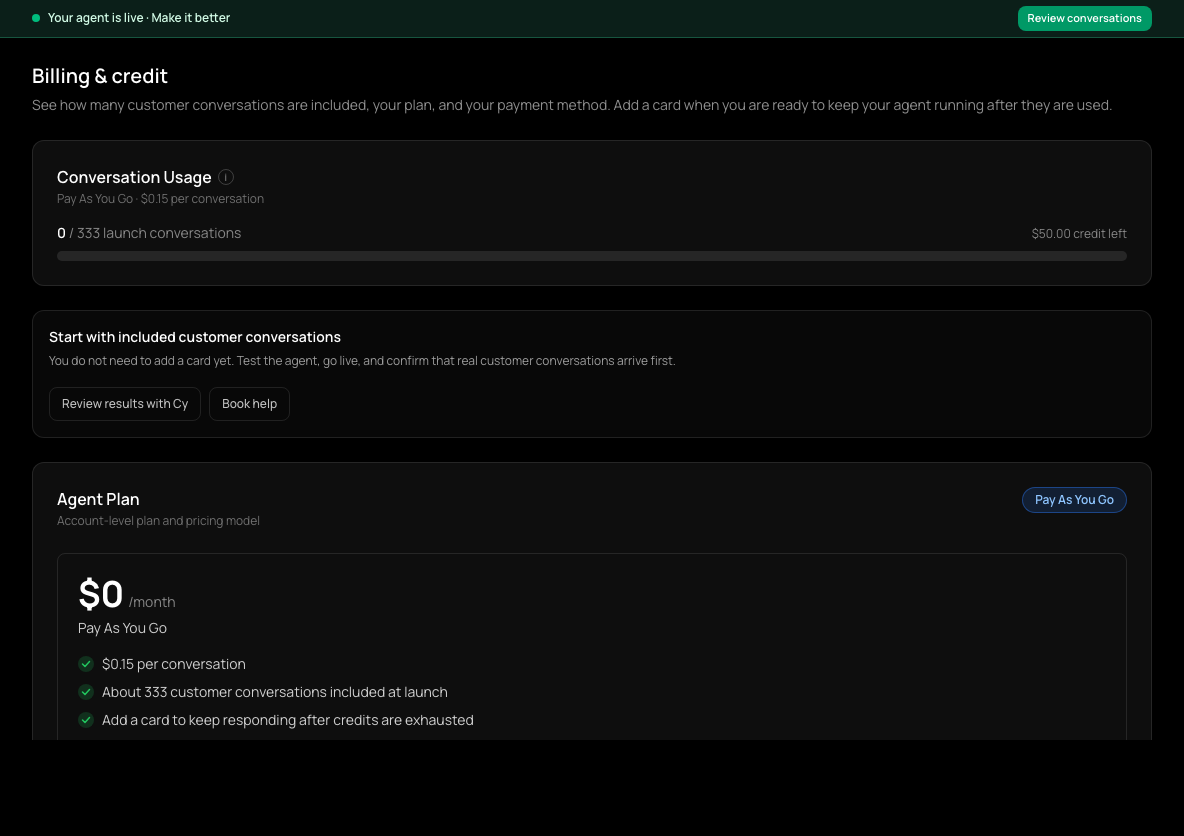
Billing & credit shows your plan, how much of your credit or conversation allowance you've used, your payment method and your invoices. Your agent's conversations draw on that allowance.
What you'll find there
- Agent Plan: your plan, its price per conversation, and options to switch plan.
- Conversation Usage: how many conversations you've used and how much credit is left.
- Payment Method: the card on file.
- Next billing date and Billing History, with your invoices.
Add a payment method
- 1
Open Billing & credit
In the sidebar, choose Billing & credit.
- 2
Find Payment Method
Scroll to Payment Method.
- 3
Enter your card
Enter Name on card, Card number, Expiry, CVC and ZIP, then choose Add Payment Method.
- 4
Confirm
Your card is saved and shows under Payment Method. Charges follow the plan shown on this page: pay-as-you-go uses any remaining launch credit first; subscription and custom plans may include a base fee and usage charges.
If your credit is running low
You get emails as you approach and reach the end of your credit. An account without a card on file can have its agent paused at the usage limit, and lead-form messages are skipped when credit is exhausted. Adding a payment method keeps things running.
Changing or cancelling
For standard plans, use the available cancel or resubscribe controls on this page and read the confirmation before continuing. Custom plans are managed with Cysora; their switch and cancel controls are not self-service. For help with your plan or bill, choose Book help.
Check it worked
- Your card appears under Payment Method. Review the plan and any billing date shown separately; saving a card does not change your plan.
If it doesn't work
- Your agent stopped replying.
- Check the usage meter and Payment Method on Billing & credit. A paused agent resumes once billing is sorted; choose Book help if it doesn't.
- Your card was declined.
- Check the details and try again, or use another card. Choose Book help if it keeps failing.
Related guides
- Message Meta lead-form leads on WhatsAppShare your Meta assets with Cysora, map a lead form, and start the conversation on WhatsApp (pilot).
- Fix a broken integrationUnderstand the red alert in your dashboard and where each problem is fixed.
- Invite your teamInvite teammates, choose their role, and decide which agents they can see.