
Help / Run your agent
Fix a broken integration
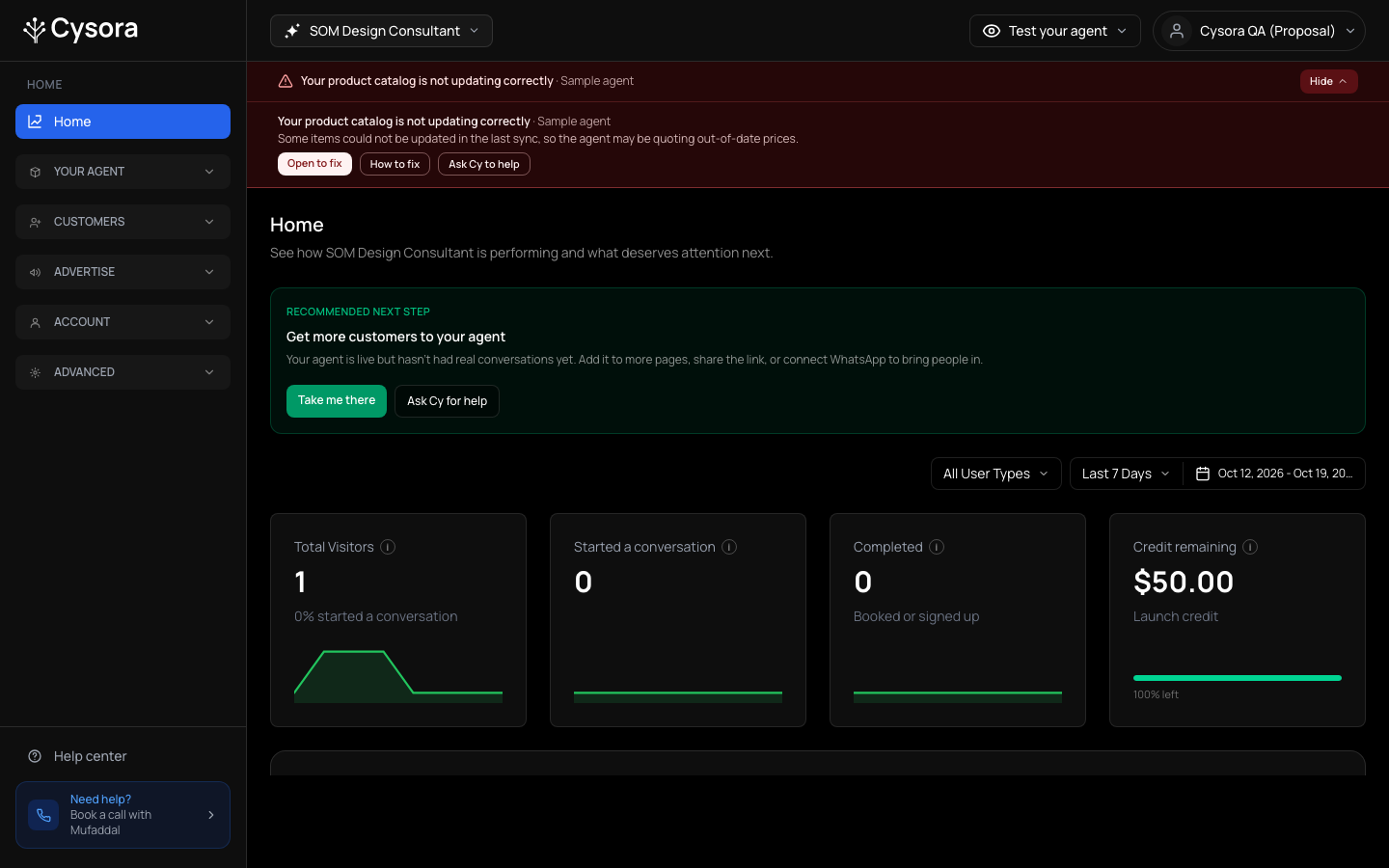
When Cysora detects a critical problem with a monitored integration, a red alert appears at the top of the dashboard. Open it to see the cause and where to fix it. Cy can also explain the issue. Email alerts depend on delivery being enabled and your notification preferences.
About 5 minutesLast checked Oct 19, 2026
Read the alert
- 1
Open the details
Choose See what is wrong on the red bar to read each problem and which agent it affects.
- 2
Go to the fix
Choose Open to fix to jump to the page where it is fixed, or How to fix to read the matching guide.
- 3
Ask for help
Choose Ask Cy to help to talk it through with the assistant in your dashboard.
What Cysora watches
- Product catalog: the sync failed, or hasn't completed on its schedule. Fix it from How your agent sells, or Book a call.
- Lead forms: Cysora can't read your Meta forms, follow-up messages aren't delivering, a WhatsApp payment problem is blocking messages, or you're out of credits. Fix it on Lead sources, or Billing & credit.
- Stripe payments: your Stripe connection needs attention, or on-page checkout isn't working. Fix it on Connections.
- WhatsApp: the connection is failing, for example the number's webhook isn't subscribed or sends are failing. Reconnect on Go live.
Check it worked
- Test the affected connection after the fix: for example, send a WhatsApp message from another phone and check the reply, or confirm a catalog sync succeeds. The red bar clears when no critical issues remain; it is not an instant connection test.
If it doesn't work
- You fixed it but the alert is still there.
- The bar refreshes when you return to the tab and every five minutes. Alerts based on recent WhatsApp send failures can remain for up to 24 hours after the last failure, even after a successful repair. Read the issue details and test the connection before reconnecting again.
- You don't understand the cause.
- Choose Ask Cy to help, or Book a call and your account rep will sort it out.
Related guides
- Connect WhatsAppConnect your WhatsApp number through Meta's signup window so your agent can answer WhatsApp messages.
- Message Meta lead-form leads on WhatsAppShare your Meta assets with Cysora, map a lead form, and start the conversation on WhatsApp (pilot).
- Take payments with StripeConnect your own Stripe account and let your agent take a payment or deposit.