
Help / Run your agent
Review conversations and take over a chat
Conversations shows every conversation your agent has had, with the full transcript and where each customer got to. When you want to answer someone yourself, switch that conversation to manual and the agent stops replying to it.
What you need
- An agent that has had at least one conversation, or a test.
Review conversations
- 1
Open Conversations
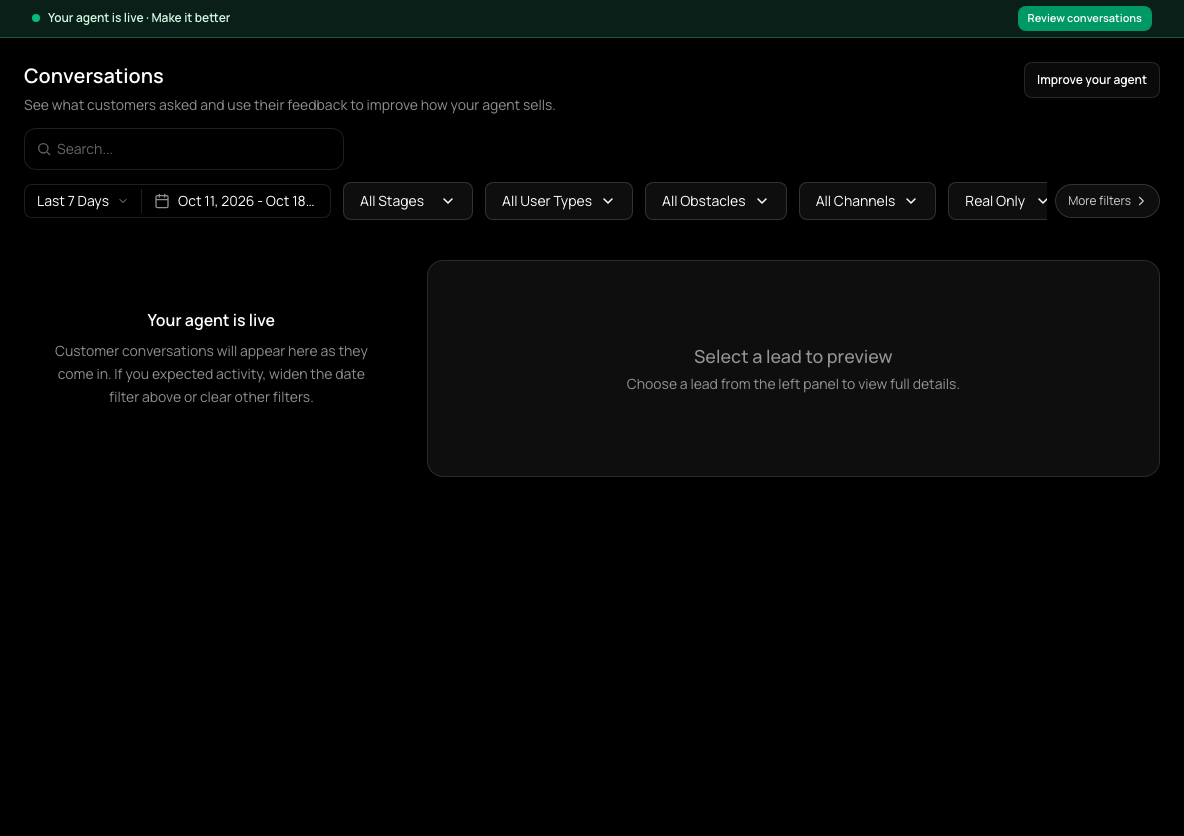
In the sidebar, choose Conversations. Filter by date, stage, user type, obstacle or channel, and choose Real Only to leave out tests.
- 2
Open one
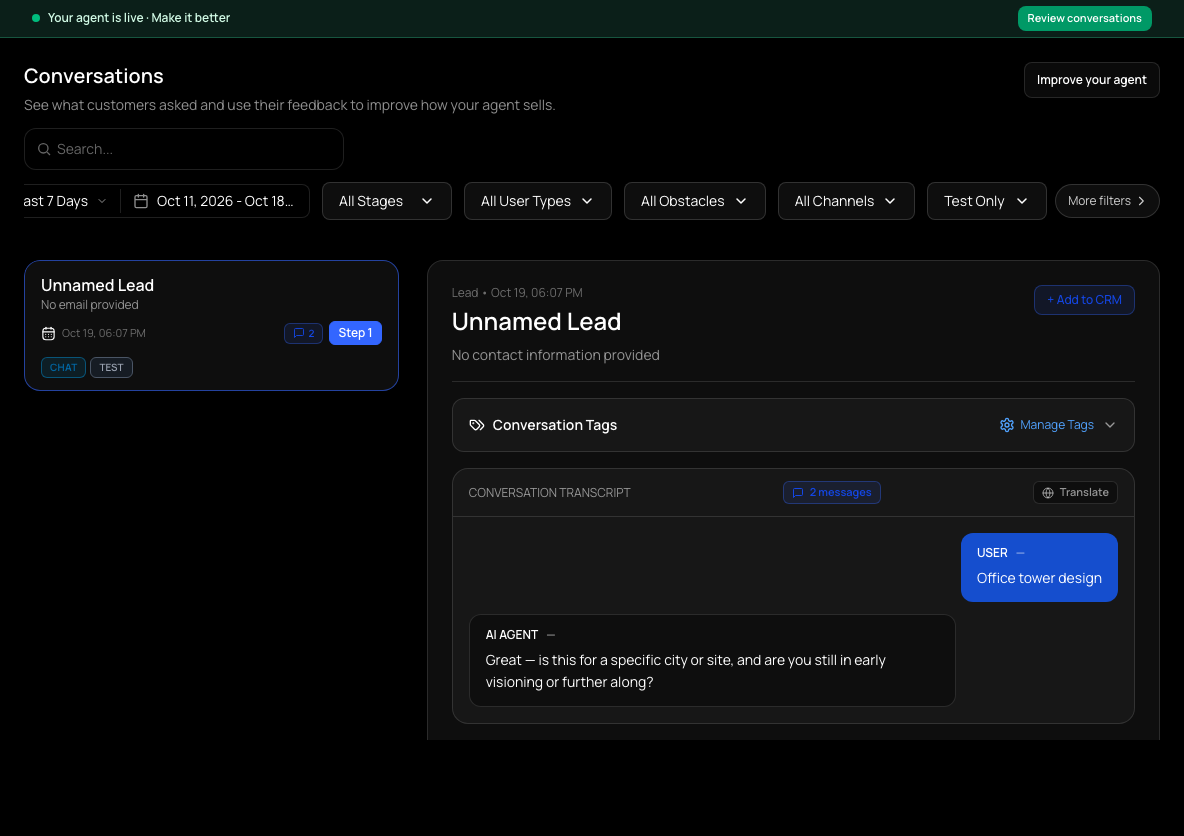
Select a conversation to read the transcript and see which step the customer reached. Choose Test Only in the Real Only filter to see your own test conversations, marked TEST.
- 3
Look for patterns
Questions the agent couldn't answer, or places where customers stop, are the best guide to what to change next.
Take over a WhatsApp conversation
- 1
Switch to manual
In an open WhatsApp conversation, use the Conversation mode switch to move from AI to Manual. The conversation is marked MANUAL in the list. Taking over is available for WhatsApp conversations; website chat conversations don't show the switch.
- 2
Reply
Type your reply in the conversation. Replying from the dashboard is available for WhatsApp conversations within 24 hours of the customer's last message.
- 3
Hand back
Switch back to AI when you want the agent to continue.
Get emailed about manual conversations
On Notifications you can opt in to emails about new messages in conversations you have taken over.
Check it worked
- After switching to manual, a new customer message gets no agent reply and waits for you.
If it doesn't work
- There is no Conversation mode switch or reply box.
- Dashboard replies work for WhatsApp conversations only, and only within 24 hours of the customer's last message.
Related guides
- Test your agentTry your agent as a customer would, on the website chat or WhatsApp, before anyone else sees it.
- Set up how your agent sellsEdit the steps your agent walks customers through: what it asks, what it recommends, and how it closes.
- Connect WhatsAppConnect your WhatsApp number through Meta's signup window so your agent can answer WhatsApp messages.