
Help / Configure your agent
Set up how your agent sells
How your agent sells lists the steps your agent follows with every customer. Each step has its own settings and rules, and a live preview shows what customers will see as you edit.
What you need
- An agent in your Cysora dashboard.
Open and edit a step
- 1
Open the page
In the sidebar, choose How your agent sells.
- 2
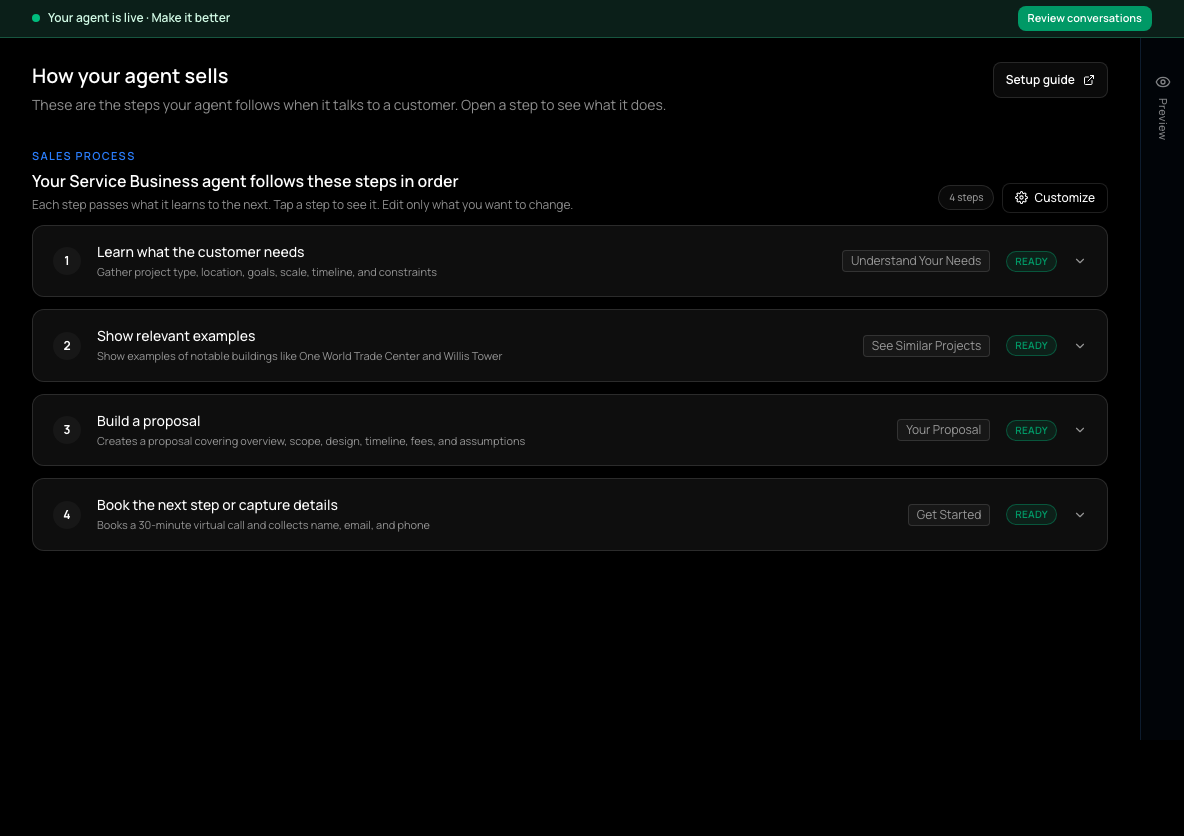
Open a step
Select a step to see what it does.
- 3
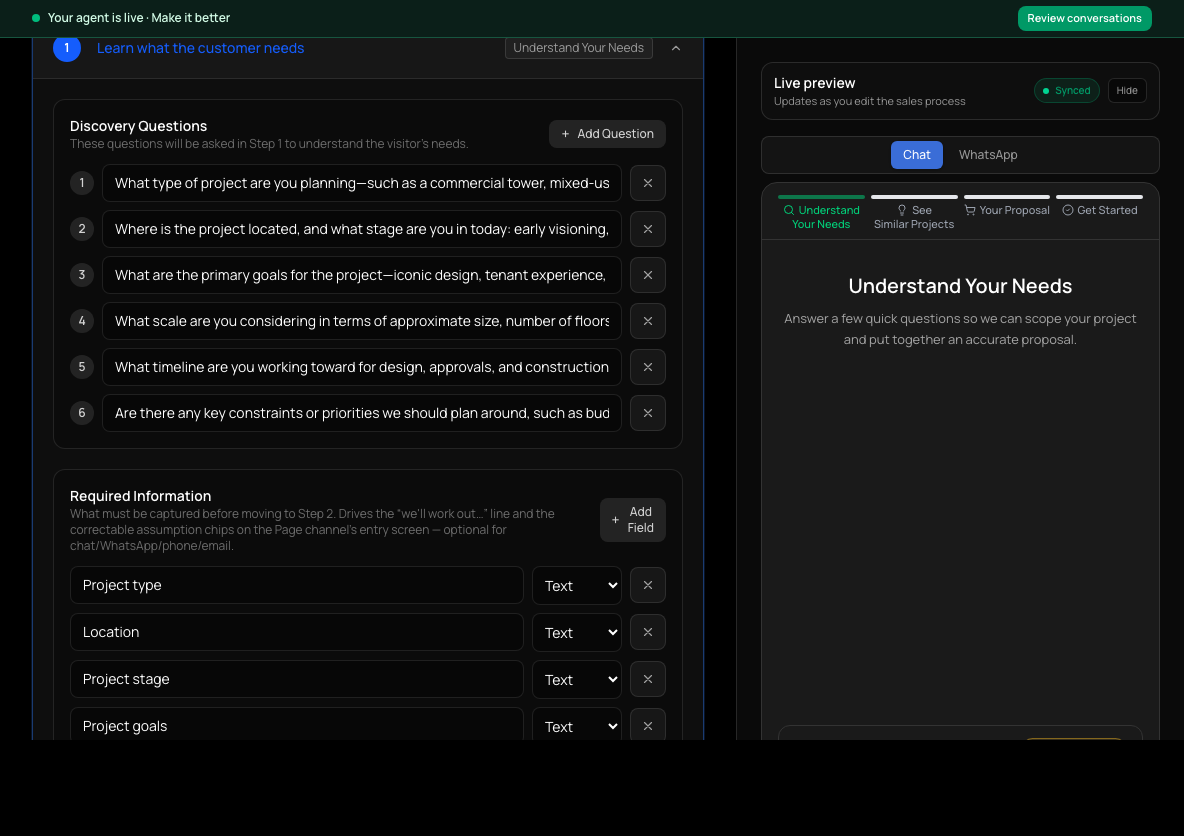
Edit details
Choose Edit details on the open step to change its settings. Edit the field you need (see below); the live preview on the right updates as you edit.
- 4
Save
Choose Save step. The step closes and shows its updated summary.
What each kind of step controls
Step names vary by agent, but most processes use these kinds of step:
- Find out what the customer needs: the questions the agent asks and the details it must collect before moving on.
- Recommend products or services: How the agent chooses tells it how to match customers to options. It is the field with the most effect on recommendations. Field switches control which product details the agent can see and show.
- Show a price or prepare a quote: how totals are calculated and which fields appear on the quote.
- Next steps: the options that end the conversation, such as booking a call, signing up or paying, with guidance on when to offer each.
Additional rules on a step
Every step has Additional rules. Use them for instructions that only matter during that step, written as you would brief a new salesperson: short, specific, and with the reason when it isn't obvious.
Add, remove or reorder steps
Choose Customize above the step list to add, remove or reorder steps in this agent's flow. Some agents' steps can't be edited from this page; the page says so when that is the case.
Check it worked
- The step's summary shows your change after Save step.
- In Test your agent, a conversation that reaches that step behaves the new way.
If it doesn't work
- Recommendations still miss what the customer asked for.
- Check the catalog values and Use in recommendations switches first. Use Recommendations per reply for the number of options, and How the agent chooses for matching guidance. Test the same customer request again.
- Customers drop off at the last step.
- Read what the next step actually asks for. It may come too early or be unclear; adjust that step's guidance.
Related guides
- Configure your agentThe three dashboard pages that decide what your agent says and does, and what each one is for.
- Control what your agent recommendsChoose which catalog details your agent can see, show and match on, and how many options it offers.
- Set up next steps: book, sign up or payChoose what happens when a customer is ready: book a call, fill in a form, or pay.
- Test your agentTry your agent as a customer would, on the website chat or WhatsApp, before anyone else sees it.