
Help / Configure your agent
Add your business info and rules
Business info & rules is what your agent knows about your company and the boundaries it keeps in every conversation. If the agent states a wrong fact about you, or does something it never should, the fix is usually here.
What you need
- An agent in your Cysora dashboard.
Fill it in
- 1
Open the page
In the sidebar, choose Business info & rules.
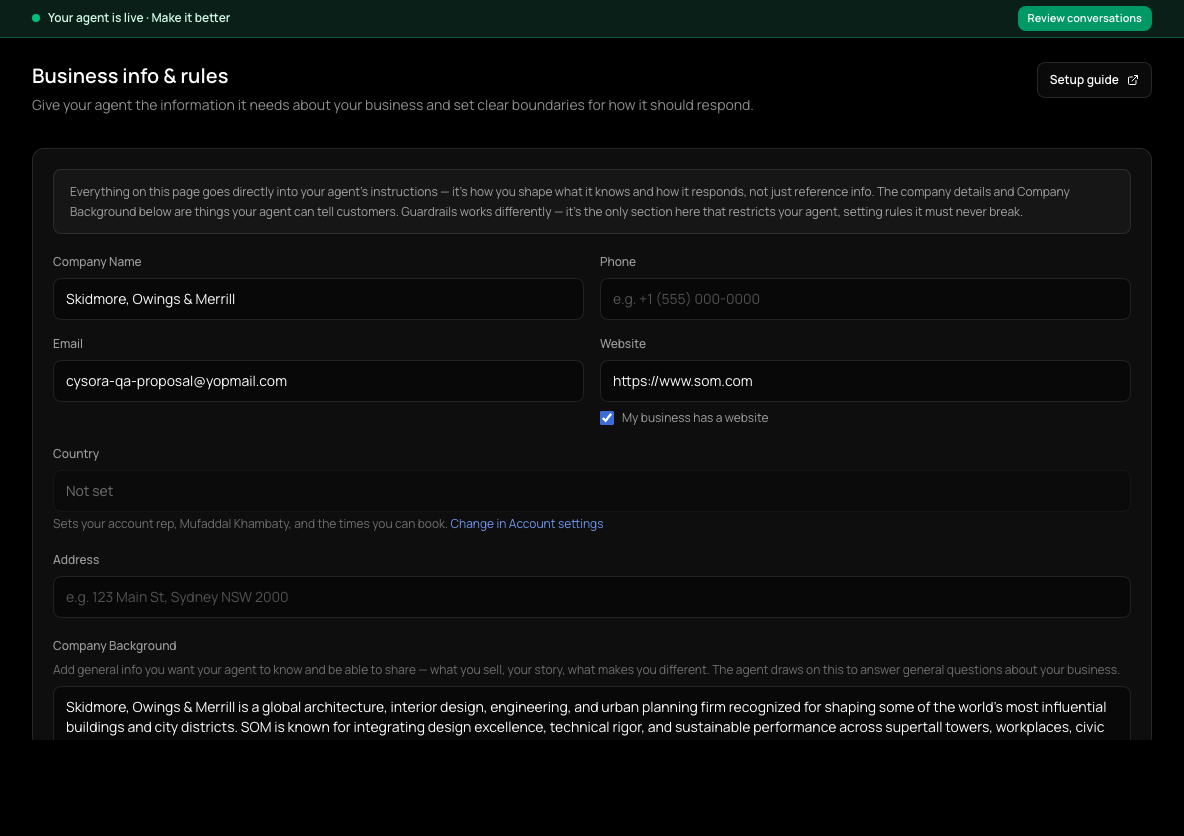
- 2
Company details
Check Company Name, Phone, Email, Website, Country and Address. The agent uses these when customers ask how to reach you. If you have no website, turn off My business has a website.
- 3
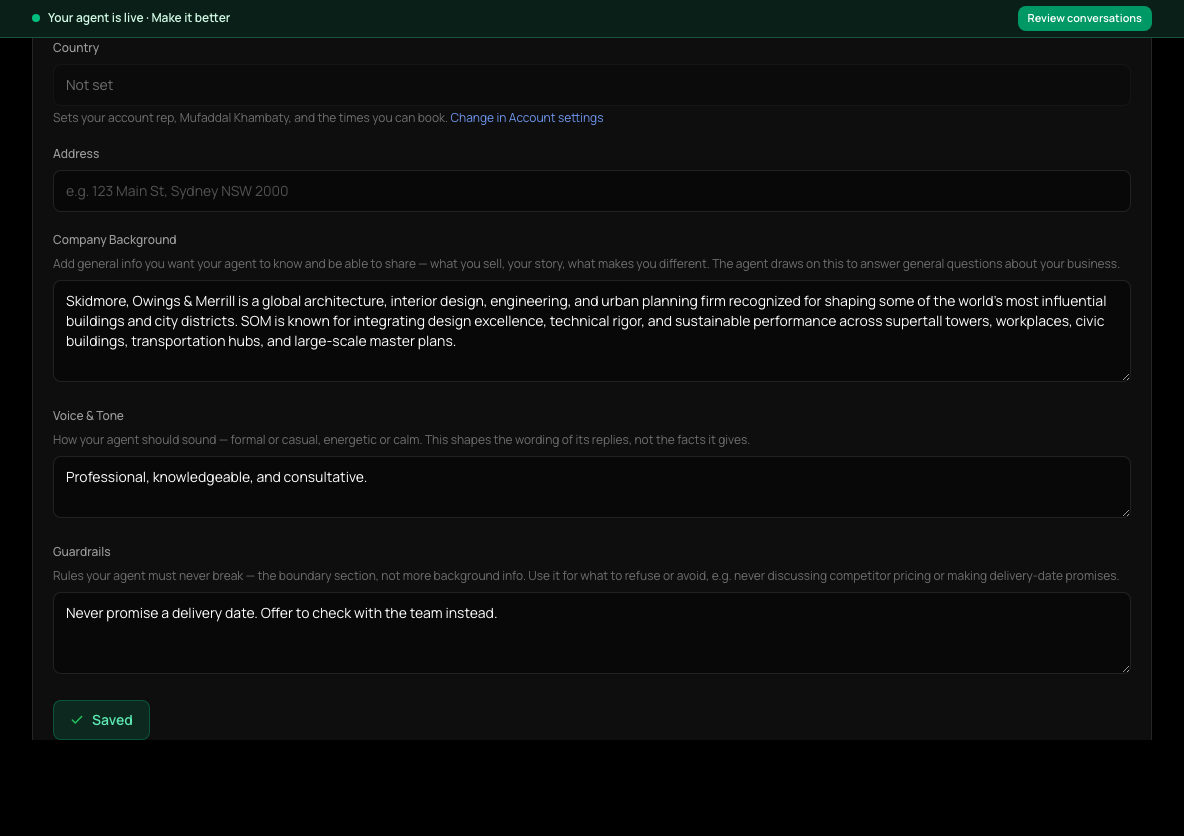
Company Background
Describe what you do, who you serve and what makes you different, in a few short paragraphs.
- 4
Voice & Tone
Say how the agent should sound, for example "friendly and direct, no jargon".
- 5
Guardrails
List what the agent must always or never do, such as topics to avoid or promises it must not make.
- 6
Save
Choose Save. The button shows Saved when your changes are stored.
Writing good guardrails
- One rule per line, starting with what to do: "Never quote delivery dates; offer to check with the team."
- Give the reason when it helps the agent judge edge cases.
- Keep step-specific instructions in that step's rules on How your agent sells, so guardrails stay short.
Check it worked
- In Test your agent, ask something your guardrails cover and check the agent follows them.
If it doesn't work
- The Save button is disabled.
- This agent may not have the discovery step these fields are stored on. Contact Cysora support.
Related guides
- Configure your agentThe three dashboard pages that decide what your agent says and does, and what each one is for.
- Set up how your agent sellsEdit the steps your agent walks customers through: what it asks, what it recommends, and how it closes.
- Test your agentTry your agent as a customer would, on the website chat or WhatsApp, before anyone else sees it.