
Help / Account and team
Invite your team
Invite teammates to your Cysora account and choose which agents they can see. Admins manage the team; other members can use the product but can't invite or remove people.
What you need
- An account admin to send invitations.
Invite someone
- 1
Open the page
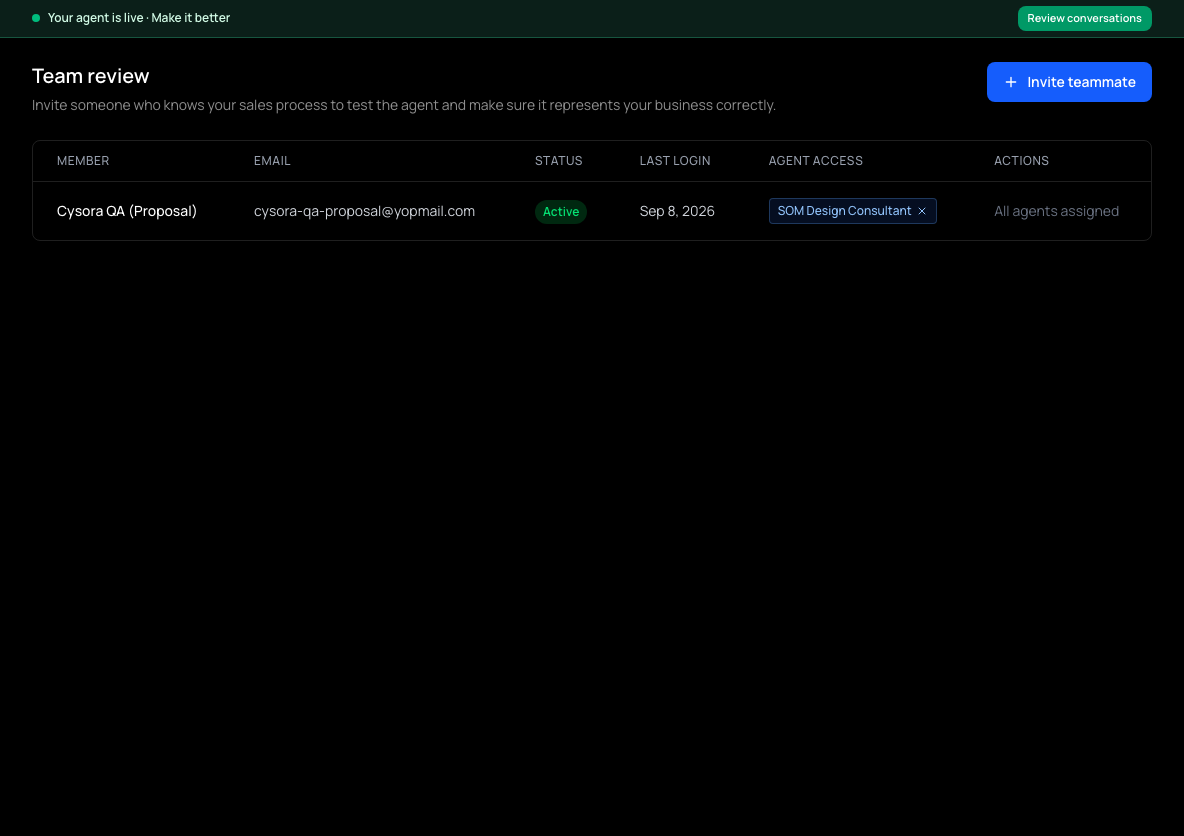
In the sidebar, choose Team & access (shown as Team review until your agent is live). The page is headed Team review and lists each member, their status and their agent access.
- 2
Invite
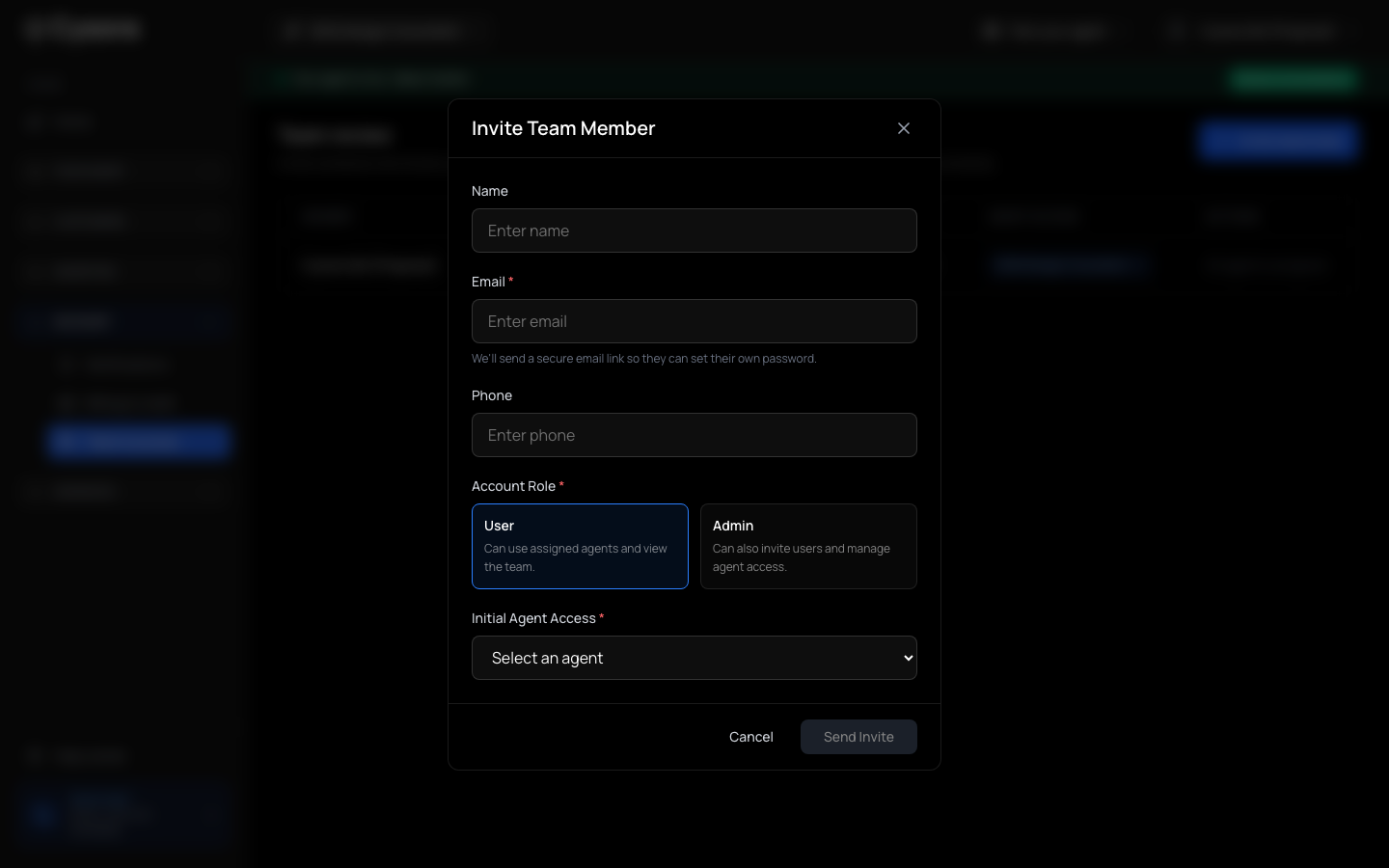
Choose Invite teammate, then enter their name (optional), Email, and an optional phone number.
- 3
Choose a role
Under Account Role, pick User (can use assigned agents and view the team) or Admin (can also invite users and manage agent access).
- 4
Choose agents
Under Initial Agent Access, select the agent they can use. They only see agents assigned to them.
- 5
Send
Choose Send Invite. They receive an email with a secure link to set their own password and activate their access.
Manage members
- A member shows as Invited, Active, Inactive or Invite expired.
- For an expired or lost invite, choose the send-a-fresh-invitation action on that member.
- Use Add Agent... to give a member another agent, and Remove access to take access away.
Before you go live: get your agent reviewed
This page is Team review. Invite someone who knows your sales process to test the agent and make sure it represents your business correctly. It is optional and never blocks going live.
Check it worked
- The new member appears in the list as Invited, then Active once they accept.
If it doesn't work
- You can't see Invite teammate.
- Only account admins can invite. Ask an admin, or have your role changed.
- They didn't get the email.
- Check their spam folder, then send a fresh invitation to the same address.
Related guides
- Manage Cysora from Claude or ChatGPTConnect an AI tool to your own Cysora account with a sign-in and choose what it can do.
- Create API keys for developersCreate a secret key with limited access for your own software to call the Cysora REST API.
- Follow up leads in Sales pipelineSet each customer's stage, owner and next follow-up, and read their conversation.