
Help / Publish
Share a hosted link
The hosted link is a one-page version of your agent that Cysora hosts for you. Customers get an instant result instead of a long chat, and you can share the link anywhere: a social profile, WhatsApp replies, an email signature or a QR code.
What you need
- An agent you have tested. No website needed.
- You can switch the Page channel on from Style & behavior. It also has a setting for how many refinements a visitor can ask for.
Turn on the page and copy the link
- 1
Open Style & behavior
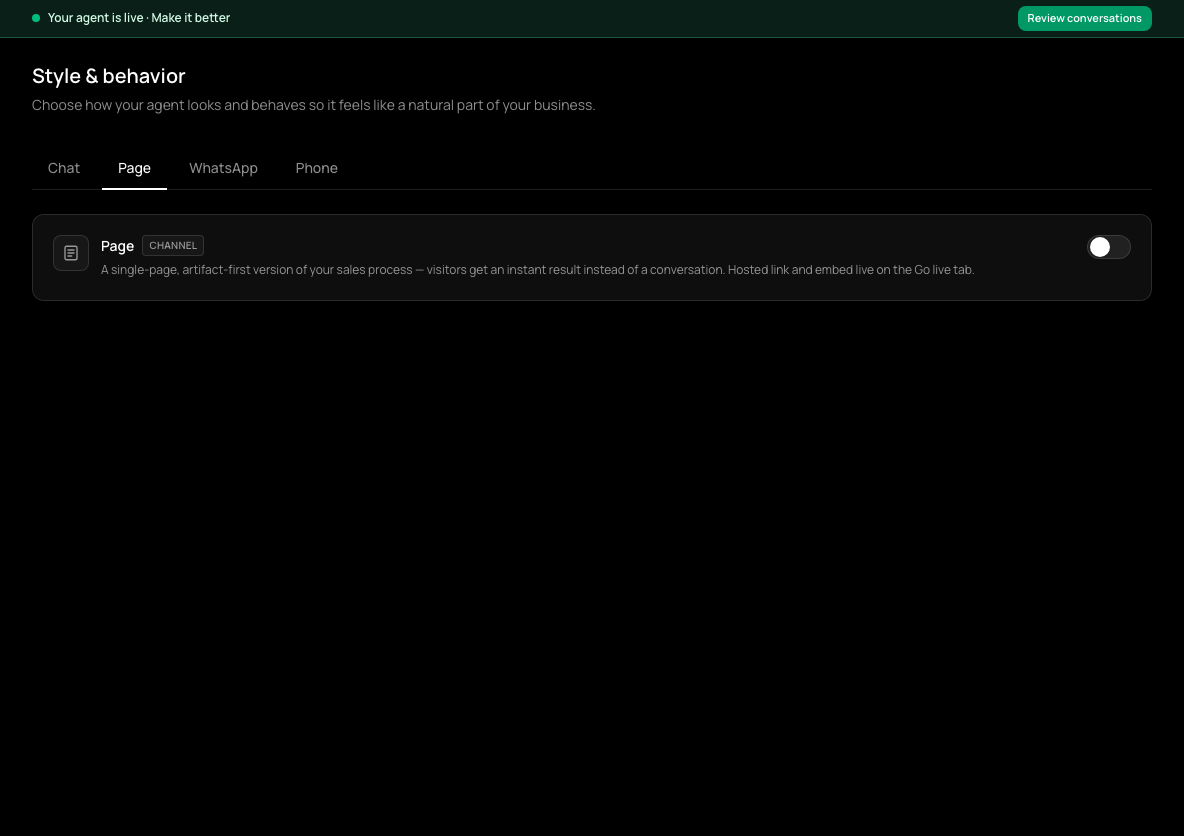
In the sidebar, choose Style & behavior, then the Page tab.
- 2
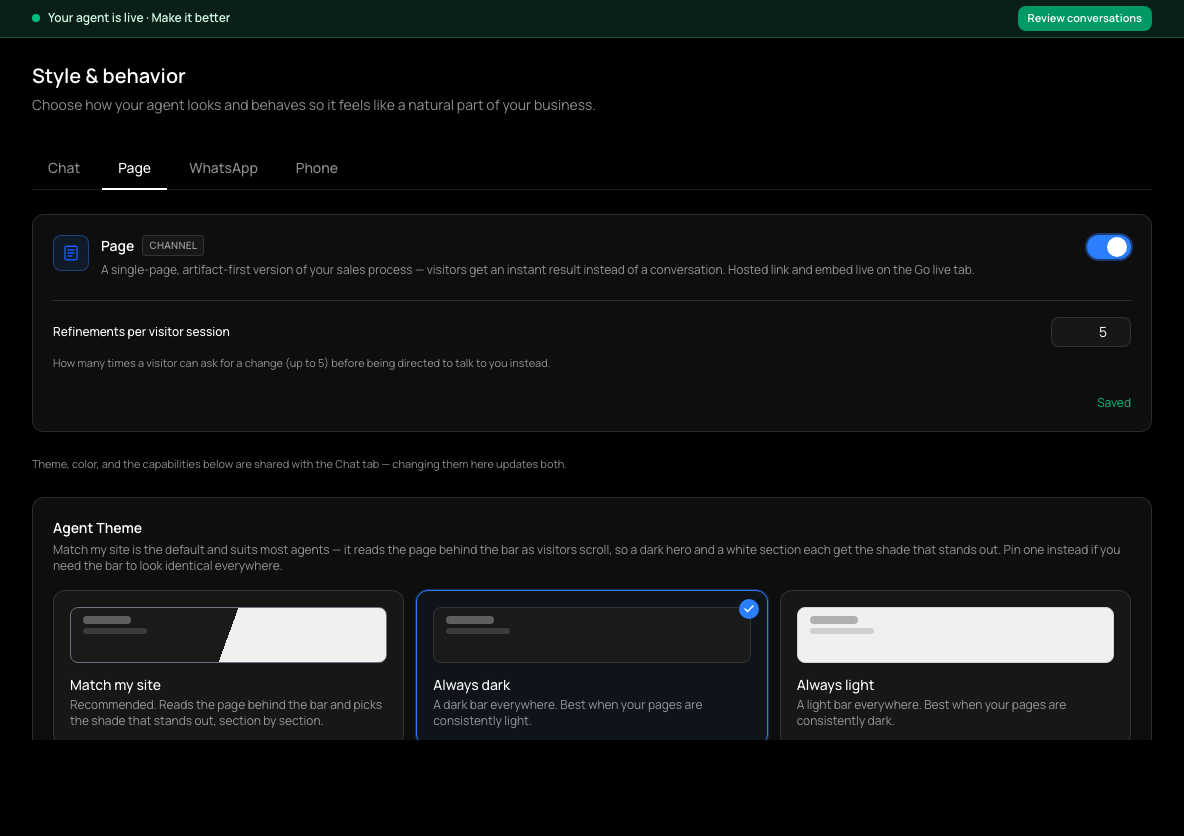
Turn the page on
Switch on the Page channel. It saves automatically, and Refinements per visitor session appears: how many times a visitor can ask for a change before being pointed to you. The page is off until you switch it on, and while it is off the link shows a not-found page.
- 3
Open the Page tab on Go live
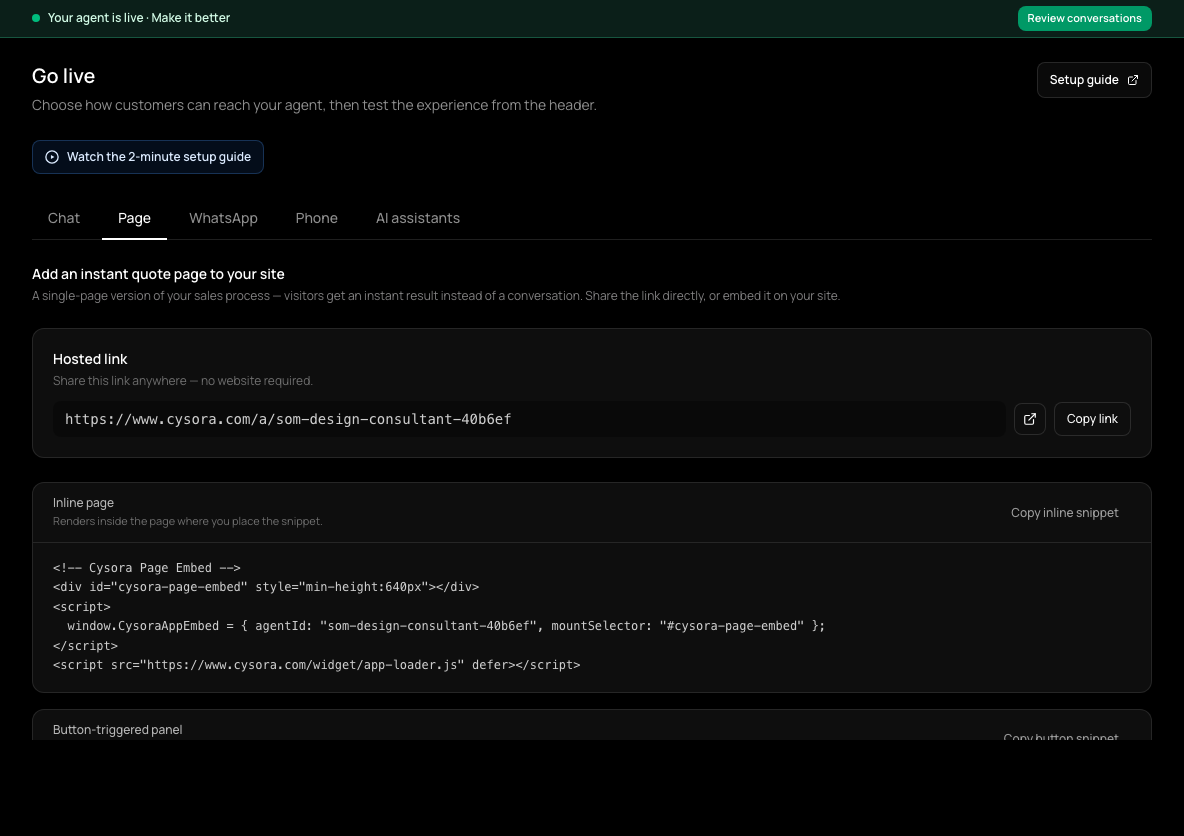
In the sidebar, choose Go live (shown as Channels & install once your agent is live). A Page tab now appears; it shows your Hosted link.
- 4
Copy the hosted link
Choose Copy link. It looks like cysora.com/a/your-agent-name.
- 5
Share it
Put it in your bio, your WhatsApp replies and status, your emails, or a QR code.
Embedding it on a website instead
If you have a website, the Page tab also offers an Inline page snippet and a Button-triggered panel snippet that put the page on your own site.
Check it worked
- The link opens your agent's page in a private browser window.
- Customers who share their details appear as leads in Sales pipeline, marked as coming from the page.
If it doesn't work
- The link shows a not-found page.
- The page is turned off. Switch on the Page channel in Style & behavior.
Related guides
- Test your agentTry your agent as a customer would, on the website chat or WhatsApp, before anyone else sees it.
- Put your agent on your websiteCopy one snippet onto your site so your agent can chat with visitors on every page.
- Connect WhatsAppConnect your WhatsApp number through Meta's signup window so your agent can answer WhatsApp messages.