
Help / Publish
Let customers' AI assistants reach your agent
Customers increasingly ask their own AI assistant, such as ChatGPT or Claude, to help them with a business. This channel lets those assistants find your agent from your website and continue with it, up to signing up or booking. It is on by default.
What you need
- Your website chat installed with the current snippet (see Put your agent on your website).
How it works
The website snippet ends with a small "Using an AI assistant? Start here" link. An assistant that reads your page follows it to a guide Cysora hosts for your agent. Depending on what the assistant can do, it either talks to your agent directly or gives the customer a prefilled link to continue.
These conversations count like any other conversation, and customers who sign up appear as leads.
Check it is working
- 1
Open the tab
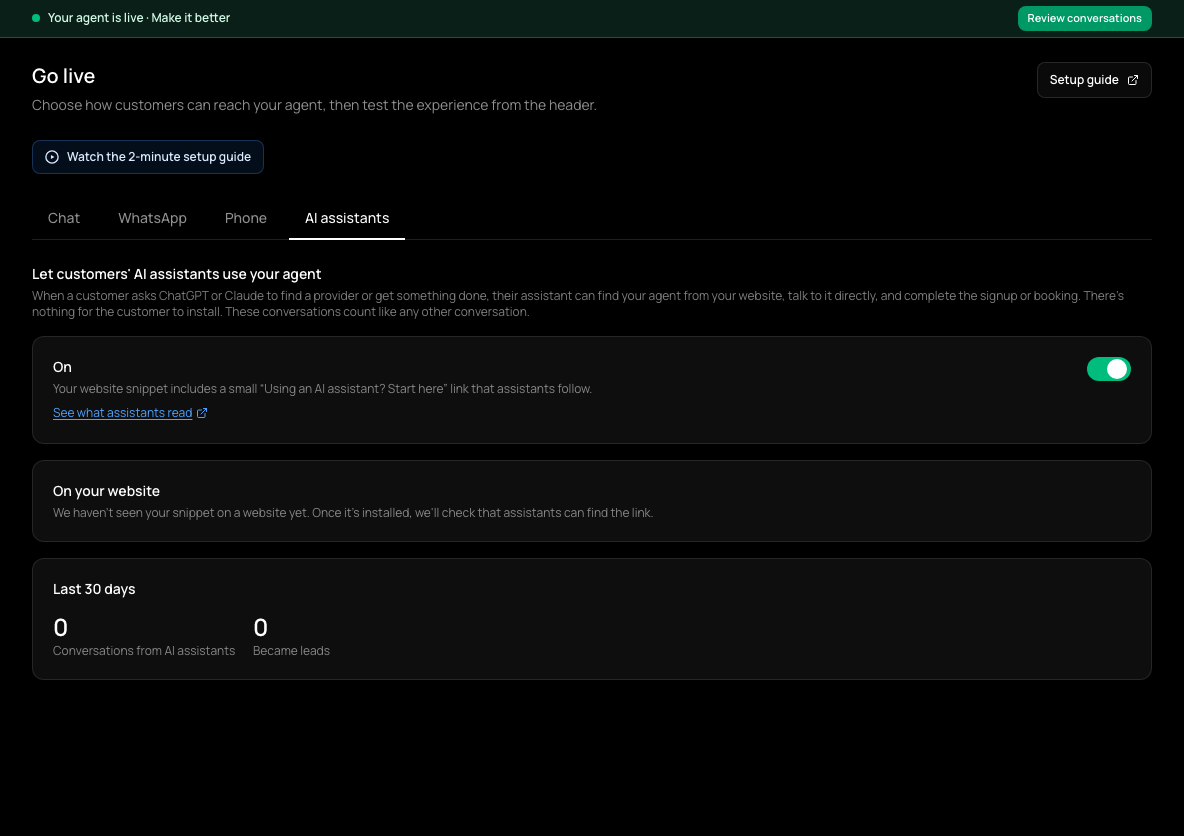
In the sidebar, choose Go live (shown as Channels & install once your agent is live), then the AI assistants tab. It shows while the Chat channel is on.
- 2
Read the status
See what assistants read shows what an assistant sees. On your website says whether your live site's snippet includes the link. Conversations from AI assistants shows the last 30 days, and how many Became leads.
- 3
Fix a missing link
If the link isn't found, copy the current snippet from the Chat tab and paste it over the old one on your site.
Turning it off
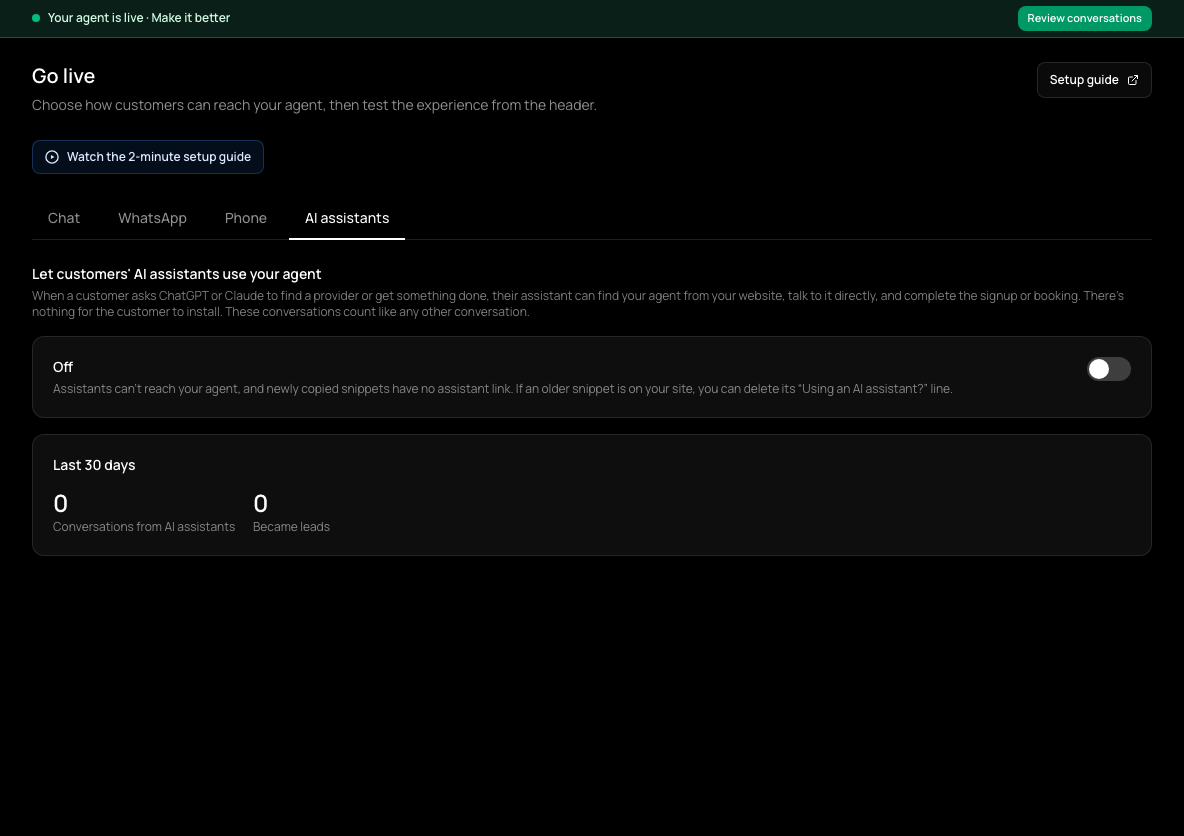
Switch the toggle at the top of that tab off. It then reads Off: assistants can't reach your agent, and newly copied snippets have no assistant link. If your site already has the snippet, also delete the "Using an AI assistant?" line from it.
Check it worked
- The AI assistants tab says your website's snippet includes the link.
If it doesn't work
- The tab says the link wasn't found, but you installed the snippet.
- You may have installed it before this link existed, or your site adds the snippet with JavaScript. Re-paste the current snippet directly into your page's HTML.
- The tab says it couldn't check your site.
- That doesn't mean it is broken. Try again later.
Related guides
- Put your agent on your websiteCopy one snippet onto your site so your agent can chat with visitors on every page.
- Manage Cysora from Claude or ChatGPTConnect an AI tool to your own Cysora account with a sign-in and choose what it can do.
- Review conversations and take over a chatRead what your agent said to each customer and switch a conversation to manual when you want to reply yourself.